Every new "AI gadget" on shelves this holiday season gets its intelligence in one of two ways: it computes answers locally, on the hardware in your hand, or it ships your request to powerful remote servers and waits for a response. Some devices blend both. Understanding which method a gadget uses—and when—explains most of the practical differences you'll notice as an owner, from whether it works when your Wi-Fi drops to what happens to your personal data.
Understanding AI Gadgets: On-Device vs. Cloud Processing
AI devices are hardware systems that include artificial intelligence features, using machine learning, natural language processing, and computer vision to handle tasks automatically or with limited input, according to Lenovo's guide to AI devices. The processing behind those features has to happen somewhere. In an on-device design, the computation runs on the gadget's own processor, so the data never leaves the hardware. In a cloud-based design, the device sends information to remote servers that do the heavy analysis and return a result. Lenovo's guide notes that cloud-based AI systems often use remote servers to process requests, which means many features depend on a working internet connection.
The distinction matters because the two pathways impose opposite constraints. Local processing is bounded by the chip inside the device; cloud processing is bounded by your network. Neither is universally better—the right architecture depends on the task.
On-Device AI: Privacy and Independence
When AI computation happens on the gadget itself, sensitive information stays there. Apple describes this philosophy directly: in many cases its models "run entirely on device so that a task can be completed without data leaving your device." The company points to features like Live Voicemail, where processing "occurs entirely on your device, and isn't shared with Apple," powered by the device's Neural Engine.
The second benefit is independence from connectivity. Because the computation is local, these features don't wait on a network round-trip, and they keep working when internet access is limited or unavailable—precisely the situation where, as Lenovo's guide observes, cloud-dependent functions "can become unavailable or operate with fewer capabilities."
The trade-off is capacity. A gadget's processor and storage are finite, so on-device models are typically smaller and less capable than what a data center can run. Apple's own support documentation acknowledges this boundary: "for more complex requests that require more computational capacity," its systems turn to the cloud.
Cloud-Based AI: Power and Connectivity
Cloud processing moves the work to larger, server-based models with far greater computational capacity. That power is what enables advanced features—complex question answering, rich personalization, and analysis that would overwhelm a small device. Apple's support documentation describes exactly this arrangement: Private Cloud Compute "uses larger, server-based models" to "unlock even more intelligence" beyond what the device alone can do.
The costs are connectivity and data handling. Cloud features require a solid internet connection, and they raise questions about how information is collected, stored, and managed—questions Lenovo's guide flags as a primary consideration for AI device buyers, noting that data-handling approaches vary by device, platform, and service.
Notably, the cloud pathway doesn't have to mean giving up privacy protections. Apple states that data processed in its Private Cloud Compute "is not stored or made accessible to Apple or anyone else," and is used only to fulfill a request before results return securely to the device. That's a vendor-specific design, though, not a property of cloud AI in general.
On-Device vs. Cloud AI: A Feature Comparison
The framework below separates the two processing pathways across the dimensions that shape everyday use. You can use it to diagnose how a gadget likely works: if a feature needs internet, it's cloud-based; if it works offline and involves personal data, it's probably local.
| Dimension | On-Device AI Processing | Cloud-Based AI Processing |
|---|---|---|
| Processing Location | AI computations occur directly on the gadget itself. | AI computations are performed on powerful remote servers; the device sends data to the cloud for analysis. |
| Key Advantage | Enhanced data privacy—sensitive information remains on the device—and the ability to function without an internet connection. | Access to greater computational capacity for complex requests, enabling larger, more advanced AI models. |
| Key Limitation | Bounded by the device's local computing power; complex requests may require cloud assistance. | Requires a solid internet connection, and raises data-handling questions about how information is collected, stored, or managed. |
| Example Feature | Apple HomeView processes Siri requests on-device and uses facial recognition to surface personal content only for the enrolled user. | Amazon's Alexa Tablets use the cloud-connected AI assistant for personalized recommendations and smart home control. |
Real-World Examples: Amazon Alexa Tablet and Apple HomeView
The two architectures show up clearly in products announced this October. Amazon, as CNBC reported, is replacing its budget Fire line with three premium Alexa Tablets that put its AI assistant front and center. Users say "Alexa" or tap "Ask Alexa" to ask questions, get personalized recommendations, or control their smart home. A hands-free mode called "On-Screen Intelligence" lets Alexa read content on the tablet's display and act on it—preparing a shopping list from a cooking video, for instance. These assistant-driven features are cloud-connected, depending on Amazon's servers for their recommendations and smart home control.
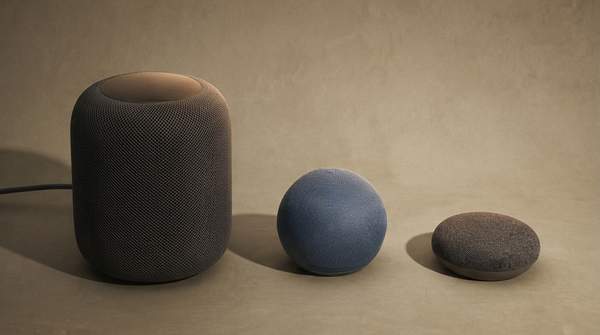
Apple's HomeView, announced a day earlier, illustrates the hybrid approach. According to Apple's newsroom, personal content in apps like Messages and Calendar is surfaced only when the enrolled user is recognized by their face and their paired iPhone or iPad is present and recently unlocked—recognition that keeps household members' content separate. Siri requests on HomeView can use on-device processing or Private Cloud Compute, which Apple says extends the device's privacy to the cloud: data processed there "is not stored nor made accessible to Apple or anyone else."
Choosing Your Smart Device: Key Trade-Offs to Consider
When evaluating a gadget, ask which of its advertised features are local and which are cloud-dependent, because that split determines what you experience offline and what data leaves your home. A device leaning on-device suits tasks where privacy and offline function matter most; a cloud-integrated device suits tasks needing advanced capability and broad data access. Also check the vendor's data-handling disclosures—Lenovo's guide stresses that practices vary by device and service, and Apple's Private Cloud Compute shows the protections can differ sharply even within cloud processing.
Keep in mind the limits of this analysis: it's based on publicly announced features and general technological principles, not proprietary internal architecture or hands-on testing, and it isn't a recommendation for any specific product.
Making an Informed Choice: Prioritizing Your AI Gadget Needs
When choosing an AI gadget, prioritize devices with on-device processing for tasks requiring immediate response, high privacy, or offline functionality, and opt for cloud-integrated devices when advanced capabilities and broad data access are more critical. The measurable indicator to check before buying is the device's performance in offline mode or its explicit privacy features for local data processing—spec sheets and privacy pages that state which features run locally, as Apple does for HomeView's Siri requests, give you a concrete way to verify the claim rather than take marketing at face value.
Sources
- Exploring AI Devices: A Comprehensive Guide for 2025 — Lenovo
- Privacy - Features — Apple
- Apple Intelligence and privacy on iPhone — Apple Support
- Tech giants race to get AI gadgets on shelves for holiday rush — CNBC
- Meet Apple HomeView, a new way to enjoy entertainment and manage the home — Apple Newsroom